

What a Charge Cycle Actually Means
A complete charge cycle occurs when you use one hundred percent of your battery’s capacity, though this doesn’t necessarily mean draining from fully charged to completely empty in a single session. The math is cumulative. A charge cycle is when you use all your laptop’s battery capacity, and one cycle doesn’t necessarily mean a full charge from zero to one hundred percent. For example, if one day you use only half of your battery’s capacity and recharge it, and then use half again the next day and fully recharge it, that only equates to one cycle.
This distinction matters more than most people realize. Each cycle degrades the battery’s performance and overall capacity. When a laptop battery completes a cycle, it loses a small percentage of its ability to hold a charge. As the cycle count increases, you will notice shorter battery life. The good news is that understanding this gives you real control over how quickly those cycles accumulate.
The Baseline Problem: How Most Laptops Age Too Fast

Manufacturers take a conservative approach and specify the life of lithium-ion batteries in most consumer products as being between three hundred and five hundred discharge and charge cycles. That sounds like a lot until you do the math. Charge your laptop from near-empty to full every single day and you could burn through that ceiling in under two years. Generally, lithium-ion batteries used in ordinary consumer electronics have a cycle life of about three hundred to five hundred times. After reaching this number of cycles, the battery capacity will drop to about eighty percent of its initial capacity.
Over time, battery capacity naturally diminishes due to internal chemical reactions. This is unavoidable, but it is not a fixed timeline. For moderate daily use, the lifespan of a lithium-ion battery can be estimated at two to three years or three hundred to five hundred charge and discharge cycles for a given device. On the other hand, for optimized use and under ideal conditions, its lifespan can reach up to five years or more than one thousand charge and discharge cycles. The gap between two years and five years comes almost entirely down to how you charge.
The 20-80 Rule: The Core of the Cycle Trick

Lithium-ion batteries last longest when they avoid both extreme highs and lows. Aiming to keep each charging cycle between twenty and eighty percent reduces chemical stress and slows the loss of capacity over hundreds of cycles. This is the cycle trick in its simplest form. It doesn’t require any apps, special chargers, or hardware changes. It’s just a ceiling and a floor for your daily charging habits.
A battery charged to its extremes, from empty to full, can make that trip three hundred to five hundred times before burning out. A laptop battery charged to eighty percent might make it eight hundred and fifty to fifteen hundred cycles. That’s a staggering difference for something as simple as stopping the charge a bit earlier. Following good charging practices can significantly extend your lithium-ion battery’s life from the typical three hundred to five hundred cycles to over one thousand cycles while maintaining optimal performance.
Why Draining to Zero Is Quietly Damaging Your Battery
Deep discharge cycles, where the battery is regularly drained to very low levels, can be particularly harmful to lithium-ion batteries. When a battery is discharged below twenty percent, voltage drops to levels that stress electrode materials and accelerate chemical aging. It’s worth taking seriously. Deep discharges can cause rapid battery degradation and increase internal resistance. If the charge drops too low, you risk an unrecoverable dead battery. Storing your laptop with a very low charge can also damage the battery permanently.
Similar to a mechanical device that wears out faster with heavy use, the depth of discharge determines the cycle count of the battery. The smaller the discharge, the longer the battery will last. There is also a widely repeated myth that lithium-ion batteries need a full discharge to “reset” their memory. Partial discharge on lithium-ion is fine. There is no memory effect, and the battery does not need periodic full discharge cycles to prolong life. Draining to zero regularly is genuinely harmful, not helpful.
The Problem With Staying Plugged in at 100%

Constantly maintaining the battery at one hundred percent charge month after month can cause a different type of stress. Lithium-ion battery chemistry is most stable at around fifty percent charge. Keeping lithium ions pressed into the anode at full charge creates voltage stress. This reduces total battery capacity slightly faster than if stored at a lower charge level. Most people leave their laptops plugged in all day without a second thought, which is understandable. But there is a real cost accumulating in the background.
Maintaining lithium-ion batteries at full charge creates high-voltage stress on the cathode structure. Calendar aging accelerates roughly five times faster at one hundred percent compared to eighty percent charge levels, according to battery degradation research. This means time spent at full charge damages the battery more than the number of charge cycles. Since high voltage and heat cause the most damage, the best way to protect a battery while staying plugged in is to limit the charge level. Simply capping the charge at eighty percent, either manually or through software, removes a significant source of long-term wear.
Heat: The Hidden Enemy Working Against Your Battery Every Day

When a laptop battery gets too hot, the electrochemical reactions inside speed up. Instead of the battery growing more efficient, it produces lots of energy it cannot use. This creates even more heat, compounding the problem. Not only can this eventually damage the inside of the battery permanently, but it also burns through a battery’s lifespan with chemical reactions that aren’t necessary.
Avoiding using your laptop in extremely hot or cold environments is important, as these conditions can degrade battery performance. The ideal temperature range for most lithium-ion batteries is between ten and thirty degrees Celsius, which aligns well with comfortable indoor temperatures. Practically speaking, this means not using your laptop on a bed, couch cushion, or any surface that blocks the ventilation vents. Keeping the battery permanently charged at one hundred percent will slowly shorten its life. Keeping it at one hundred percent and exposing it to high temperatures will shorten it much quicker. Heat and high voltage together are far more destructive than either factor alone.
Built-In Features That Do the Work for You

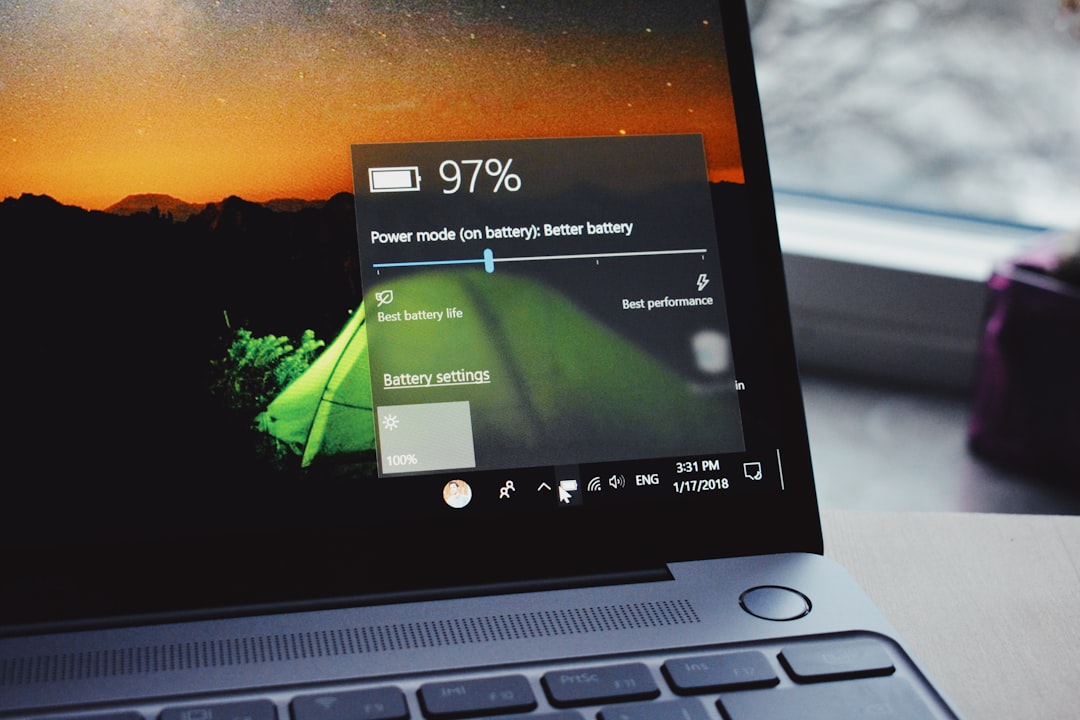
Many laptop manufacturers now include battery conservation modes that limit charging to eighty percent when the device is frequently used while plugged in. This is increasingly common across major brands. Windows 11 also has a Smart Charging feature, although it’s up to each laptop manufacturer as to whether and how they implement it. If you see that your laptop is only charging to eighty percent when you use it, this is not a bug. It will help extend the lifespan of your battery.
Limiting the battery to eighty percent reduces voltage stress. Many modern laptops include software settings that automatically cap the maximum charge level, eliminating the need to unplug manually. On the software side, Windows Energy Saver automatically manages system processes and power usage for an optimal balance of performance and longer battery life. These tools exist precisely because manufacturers know most users won’t think about this stuff on their own. Enabling them takes about thirty seconds and pays dividends for years.
Practical Habits That Add Years to Your Laptop’s Life

Fast charging technologies, though very convenient, generate more heat and can create additional stress on battery cells. When time permits, using slower charging methods can be gentler on your battery and contribute to longer overall lifespan. Beyond the charging speed, storage habits matter too. If you won’t be using your laptop for several weeks, store it with about fifty percent charge in a cool, dry place. Storing a laptop with a fully discharged or fully charged battery for extended periods can reduce its overall capacity.
Partial charging cycles are generally preferable to complete charge cycles for lithium-ion batteries. Research shows that charging from forty percent to eighty percent creates less stress than charging from zero to one hundred percent. This means frequent top-ups throughout the day can actually be better for your battery than waiting for complete drainage before charging. The old advice of “let it drain fully before recharging” was designed for a different battery chemistry that no longer applies to any modern laptop. Topping off when it’s convenient, keeping the charge in the middle zone, and avoiding prolonged heat exposure are the three habits that matter most.